Web console
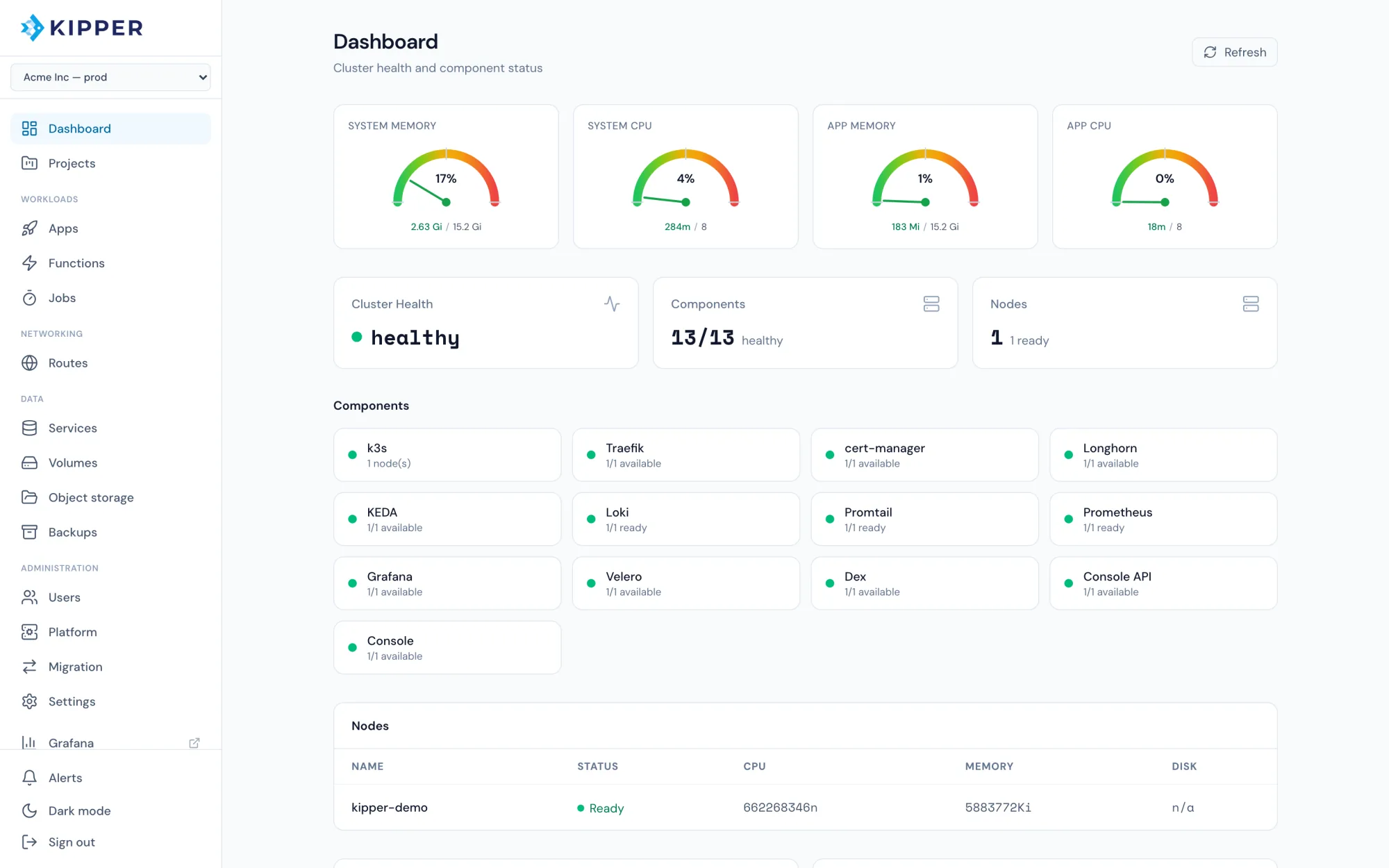
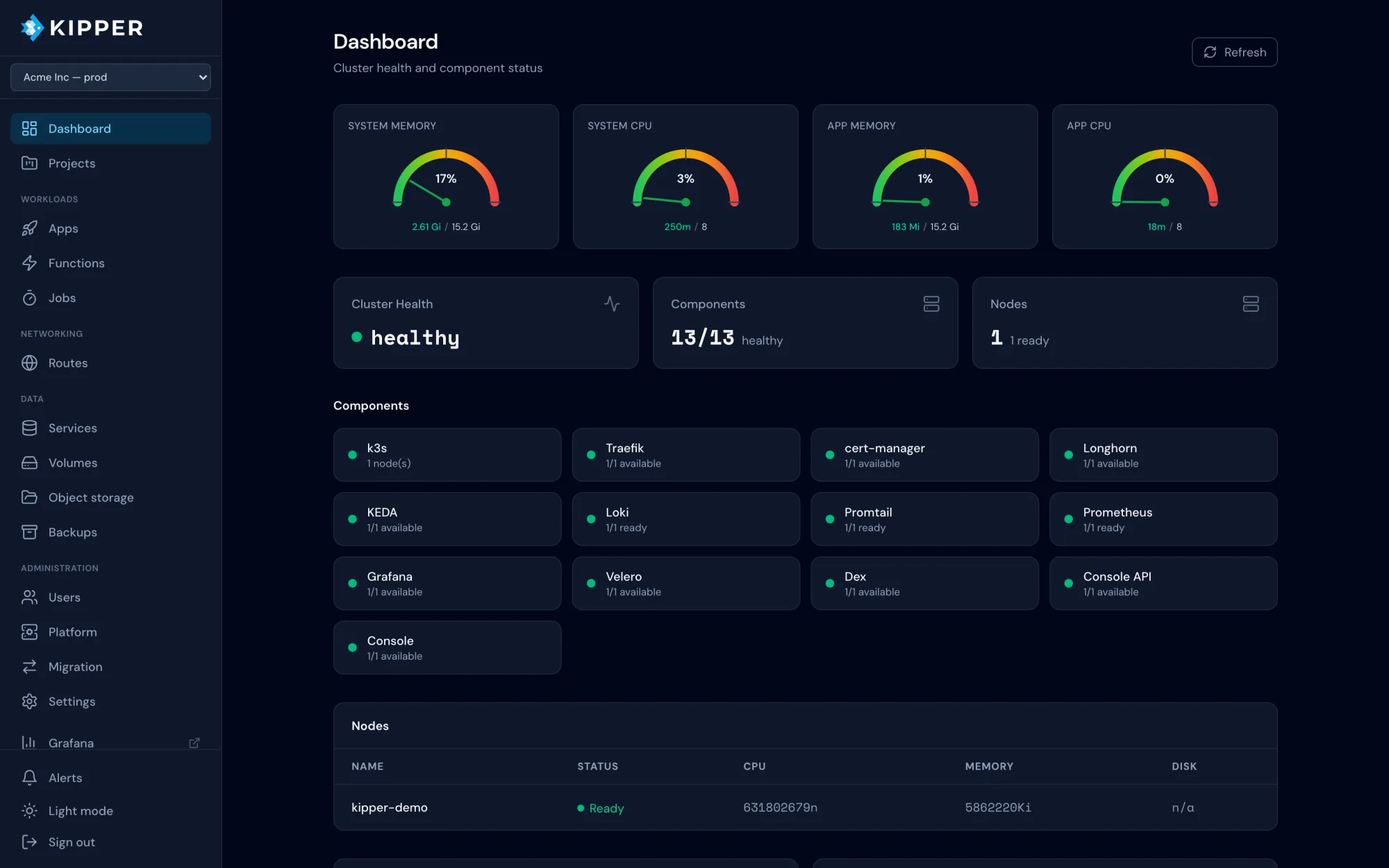
Manage clusters, projects and apps from a clean dashboard with real-time log streaming and dark mode.
Open source, Apache 2.0
What you get


Kipper installs a complete Kubernetes platform on any Linux server. Automatic SSL, a web console, git deploys and a subdomain for every cluster, ready in minutes.
curl -sL https://getkipper.com/install | shOne command
Terminal session: installing Kipper and deploying a first app.
$ curl -sL https://getkipper.com/install | sh
$ kip install --host 203.0.113.10 --ssh-key ~/.ssh/id_ed25519 --admin-email admin@example.com

  Connecting to 203.0.113.10...
  ✔  Connected

  Running preflight checks...
  ✔  OS: ubuntu 24.04
  ✔  RAM: 3820MB available
  ✔  Disk: 35370MB available
  ✔  Ports: 80, 443, 6443 open

  Registering subdomain...
  ✔  Subdomain assigned: 203-0-113-10.kipper.run

  Installing cluster...
  ✔  Installing k3s
  ✔  Configuring firewall
  ✔  Installing Traefik ingress
  ✔  Configuring cert-manager
  ✔  Setting up storage
  ✔  Installing metrics and dashboards (Prometheus + Grafana)
  ✔  Deploying console

  Cluster ready.
  Console:    https://console--203-0-113-10.kipper.run

$ kip app deploy --name hello --image nginx:latest --port 80

  Deploying hello...
  ✔  Deployment created
  ✔  Service created
  ✔  Ingress created
  ✔  Live at https://hello--203-0-113-10.kipper.run
Three commands take you from a fresh server to an app running over HTTPS.
Run this command in your terminal to install kip on Linux or macOS.
curl -sL https://getkipper.com/install | shPoint kip at a server IP. It connects over SSH, runs preflight checks and sets up Kubernetes, ingress, SSL, storage, monitoring and the web console.
kip install --host 203.0.113.10 --ssh-key ~/.ssh/id_ed25519 --admin-email admin@example.comDeploy any container image and get a live HTTPS URL on your cluster's own subdomain.
kip app deploy --name hello --image nginx:latest --port 80Kipper ships the pieces you would otherwise assemble by hand, installed and configured together.
Manage clusters, projects and apps from a clean dashboard with real-time log streaming and dark mode.
Every app is served over HTTPS with a valid Let's Encrypt certificate. Renewal happens on its own.
One command turns a container image into a running app with a deployment, service and ingress behind it.
Deploy straight from GitHub or GitLab repositories. The provider is detected from the URL.
Every cluster gets its own *.kipper.run subdomain with SSL included. Point your own domain at it whenever you are ready.
Postgres, MySQL, MongoDB, Redis, RabbitMQ and more, each with persistent storage and generated credentials.
Daily backups cover cluster resources and volume data. Store them off-cluster on any S3-compatible storage.
Loki, Prometheus and Grafana are installed during setup and already wired together.
Open a shell inside any running pod straight from the browser.
Every cluster gets the console at install time, served over HTTPS on its own subdomain. Check cluster health, deploy apps, attach a database and restore a backup from the browser.


Swipe to see more
Compared
All of them put your apps on your own servers. The difference is what runs underneath.
Coolify, Dokploy, CapRover, Dokku
Apps run on Docker. Coolify and Dokploy deploy from Compose files. Dokploy and CapRover use Swarm for multiple servers. Dokku follows the Heroku model and offers an optional k3s scheduler. These are a good fit when Docker is all you need.
Kubero, Sealos
Kubero is a PaaS for an existing cluster or one it provisions through a managed provider. Sealos installs its own Kubernetes distribution, built for running a multi-tenant cloud.
Kipper
One command turns a plain Linux server into a k3s cluster with the console, HTTPS, storage, identity and backups configured together. More servers join as workers when you need them. Apps are ordinary Kubernetes objects, so your team can use kubectl and apply what they learn to any other cluster.
The other projects have years of public releases behind them. Kipper is pre-1.0. The full comparison covers licenses, when each project is the better choice, and the resources Kipper needs on a small server.
Read the full comparisonApache 2.0
Kipper runs entirely on your own servers and the code is open for anyone to read. The project is built in the open. Issues, ideas and patches are all welcome.